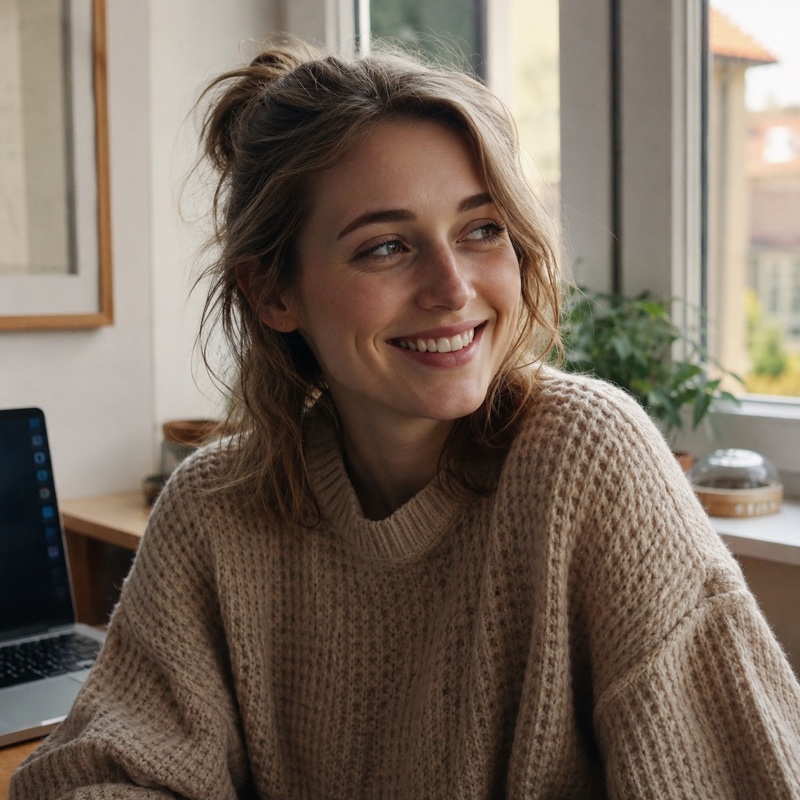
An image-to-video prompt should not describe the whole image again. The image already supplies the subject, composition, colors, wardrobe, materials, and starting frame. Your prompt has a narrower job: describe what changes over time.
Many disappointing results come from treating image-to-video like text-to-video. The prompt repeats every visible detail, adds a new setting, asks for several actions, and specifies a dramatic camera move. Those instructions compete with the pixels in the source. The model resolves the conflict by changing the face, redesigning the product, or drifting away from the original framing.
The strongest image-to-video prompts act like motion notes written on top of a locked key frame. This guide explains the structure, gives reusable patterns, and shows how to diagnose the most common failures before you spend another generation.
How to turn an image into an AI video
Start with one sharp image, one visible action, and a still camera. The image supplies the appearance; the prompt supplies the movement.
- Prepare the first frame. Crop for the intended landscape or vertical video before uploading. Keep the subject's important edges inside the frame.
- Open Image to Video. Upload your own source image and describe one movement it can support.
- Choose a simple first take. Keep the camera locked and preserve the subject, lighting, and background. Add an ending hold so the clip has a usable cut point.
- Review the whole clip. Check the face or product shape at the beginning, middle, and end. Watch for drifting labels, extra objects, and a changing background.
- Revise one instruction. Reduce the movement if identity drifts; add a small environmental motion if the result is too still. Keep the same image while comparing prompts.
For a source photo of a cup with visible steam, try this motion prompt:
Thin steam curls upward from the cup and gradually disperses. The cup and camera stay still. Preserve the cup shape, handle, printed design, table, and lighting. End on a calm hold. No new objects, no camera movement, no cuts.
This is a starting recipe, not a generated result. Use an image you own or have permission to animate. For a sequence with several actions, plan separate shots with the storyboard template.
The five parts of a useful motion prompt
Write the prompt in this order:
- Primary subject motion
- Secondary environmental motion
- Camera behavior
- Timing and ending state
- Preservation and exclusion constraints
You rarely need equal detail in all five parts. If the subject action is complex, keep the camera simple. If the camera move is the hero, keep the subject action small.
A compact example:
The woman slowly turns her head toward the window and blinks once. Loose hair moves subtly in the breeze; the curtain shifts in the background. The camera makes a gentle five-percent push in with no orbit. Natural speed, calm movement, and a still final two-second hold. Preserve her facial features, clothing, room layout, and the original warm lighting. No lip movement, no new objects, no cuts.
That prompt says nothing about her eye color, the chair, or the exact curtain fabric. Those facts are already in the image.
Start by inspecting the source frame
Before writing motion, decide what the image can plausibly support.
Look for:
- the direction a person or object can move without immediately leaving frame;
- limbs or object edges hidden behind other elements;
- empty space available for a pan or subject movement;
- implied camera height and perspective;
- motion cues such as wind, water, smoke, fabric, traffic, or depth layers;
- text, logos, fine patterns, and faces that are likely to deform;
- whether the image already contains motion blur.
A tight portrait has little room for a full-body action. A product cropped at the bottom cannot convincingly rise from a table the model cannot see. A wide landscape supports a pan but may not contain enough detail for a large push in.
Choose motion that the starting frame makes believable. The model is synthesizing unseen moments, not recovering footage that actually exists.
Describe observable motion
Use verbs tied to visible body parts or objects:
- turns her head slightly left;
- raises the cup to chest height;
- condensation slides down the glass;
- leaves bend and rebound in a light breeze;
- the indicator changes from amber to green;
- steam curls upward and disperses;
- the bicycle passes behind the subject from left to right.
Avoid directions such as “make it exciting,” “bring the scene to life,” or “add cinematic movement.” They describe the desired impression, not the frames needed to create it.
Adverbs matter when they constrain amplitude and speed: slightly, gradually, once, subtly, and at a natural pace. They are not guarantees, but they narrow the model's choices.
One primary action per short clip is a dependable rule. “She looks up, stands, walks to the door, opens it, and enters a rainy street” contains several shots disguised as a sentence. Split the sequence using an AI video storyboard.
Separate subject motion from camera motion
Subject movement and camera movement are different sources of change. Name them separately.
Subject-led prompt
The ceramic spinner rotates clockwise for one full turn while the camera remains locked. Reflections travel naturally across the glazed surface. The object returns to the same front-facing position and holds. Preserve the shape, printed mark, and background.
Camera-led prompt
The product remains completely still. The camera moves slowly from a three-quarter left view to a centered front view in a smooth tabletop arc. Constant distance and height, no zoom. Preserve the product geometry and label.
Layered environmental prompt
The cabin and mountains remain fixed. Low clouds drift slowly through the valley from right to left; foreground grass moves gently in the wind. The camera makes a very slow push toward the cabin. No weather change and no time-lapse.
When everything moves at once, identity drift becomes more likely because the model must redraw more of the frame. Lock at least one layer.
Use camera language precisely
Common camera instructions include:
| Instruction | What should change | Good use |
|---|---|---|
| Locked camera | No viewpoint change | Product action, subtle portrait |
| Push in | Camera moves closer | Reveal detail or emotion |
| Pull back | Camera moves away | Reveal setting |
| Pan left/right | View rotates horizontally | Follow lateral action |
| Tilt up/down | View rotates vertically | Reveal height |
| Truck left/right | Camera translates sideways | Parallax across depth |
| Orbit | Camera moves around subject | Product or sculpture view |
| Handheld drift | Small imperfect motion | Documentary feeling |
Do not combine “locked camera” with “slow zoom and orbit.” Do not use pan when you mean the subject should cross the frame. If exact movement matters, state both what the camera does and what it does not do.
Google's official Veo prompt guide includes framing, camera position, movement, lens effects, and audio as separate prompt elements. That vocabulary is useful beyond a single model because it replaces general style adjectives with spatial instructions.
Plan the timing
A prompt can describe a beginning, middle, and end without becoming a screenplay.
Use a simple three-beat line:
Begin with the original still composition. During the middle of the clip, the hand places one berry on the cake. End with the hand fully out of frame and hold the finished cake still for two seconds.
Timing notes solve two editing problems. First, they reduce clips that start halfway through the action. Second, an intentional hold creates a clean place to cut or add graphics.
Avoid frame-perfect timings unless the interface exposes reliable duration controls. “At exactly 1.7 seconds” often implies more precision than the generation system can honor. Relative timing—early, midway, final two seconds—is more robust.
Protect identity and composition
Preservation instructions should name the fragile attributes:
- preserve facial proportions, hairstyle, and clothing;
- preserve product geometry, label placement, and surface material;
- preserve the original crop and horizon;
- maintain the number of objects and their positions;
- keep lighting direction and color temperature unchanged.
“Keep everything the same” is less useful because it conflicts with the request to animate something. Say what changes and what stays fixed.
For people, modest motion is generally easier to preserve than fast turns, hands crossing the face, or a move from close-up to full body. For products, label text and thin geometry are fragile. A locked camera with small environmental motion is a good first test.
The source itself matters. Use a sharp image with one clear subject and enough resolution for the intended framing. If you need to change the still before animating it, make that a separate image editing step so the video prompt is not also responsible for redesign.
Write negative constraints as visible errors
Negative prompts work best when they describe artifacts rather than abstract quality:
No extra fingers, no duplicated objects, no facial warping, no label changes, no text animation, no scene cut, no sudden zoom, no flicker.
Do not paste an enormous generic negative-prompt list into every job. It can distract from the positive action and may include contradictions. Pick the three to six failure modes that are plausible for this particular image.
Official Vertex AI documentation lists a negativePrompt parameter for supported Veo generation flows, including first-and-last-frame video. If your interface has a separate negative field, put exclusions there. If it does not, a final “avoid” sentence is still clearer than mixing negatives throughout the action.
Prompt patterns for common source images
Portrait
The subject breathes naturally, blinks once, and shifts her gaze from the camera to the window. A few loose strands of hair move in a light breeze. Locked camera with a subtle push in. Preserve facial identity, earrings, clothing, and background. No speech, no smile change, no head turn beyond ten degrees.
Food or drink
Steam rises in thin irregular curls from the bowl and disperses naturally. A small highlight moves across the broth as the table receives soft window light. The food and bowl remain still; locked macro camera. Preserve ingredients, garnish positions, and ceramic pattern. No added utensils or hands.
Product
The device remains centered while one amber status light pulses twice and changes to green. The camera makes a slow, shallow orbit from left three-quarter view to front. Preserve exact geometry, ports, material, logo position, and background. No label changes or additional controls.
Landscape
Low fog drifts between the tree layers while the foreground grass bends gently in the wind. Sunlight remains constant. The camera slowly trucks right, creating mild parallax, then settles. No time-lapse, weather change, new buildings, or flying objects.
Each pattern identifies one source of primary motion and limits the rest.
Diagnose a failed result
Change one variable at a time.
If the subject identity changes, reduce subject rotation, camera travel, or action speed. Repeat exact preservation attributes and use a stronger reference image.
If the clip feels dead, add one secondary motion cue—fabric, steam, reflected light, leaves—not five. Increase the camera movement slightly only after the subject is stable.
If the camera behaves unpredictably, remove style adjectives and state a single camera operation plus explicit exclusions.
If the action starts too early or never resolves, add beginning and ending states with a hold.
If the background invents objects, lock the camera and explicitly preserve object count and layout.
Keep the selected output and its prompt together. A small prompt log with source image name, settings, output name, and a one-line assessment is more useful than trying to remember why take seven worked.
A final pre-generation checklist
Before using the image-to-video generator, confirm:
- the source frame can physically support the requested action;
- the prompt describes motion rather than redescribing the image;
- there is one primary action;
- camera and subject behavior are separated;
- the opening and ending states are stated;
- fragile identity attributes are named;
- exclusions match plausible artifacts;
- the planned aspect ratio and crop are already correct.
The source image is your strongest instruction. Let it define what the scene is. Use the prompt to define what time does to that scene.